Overview
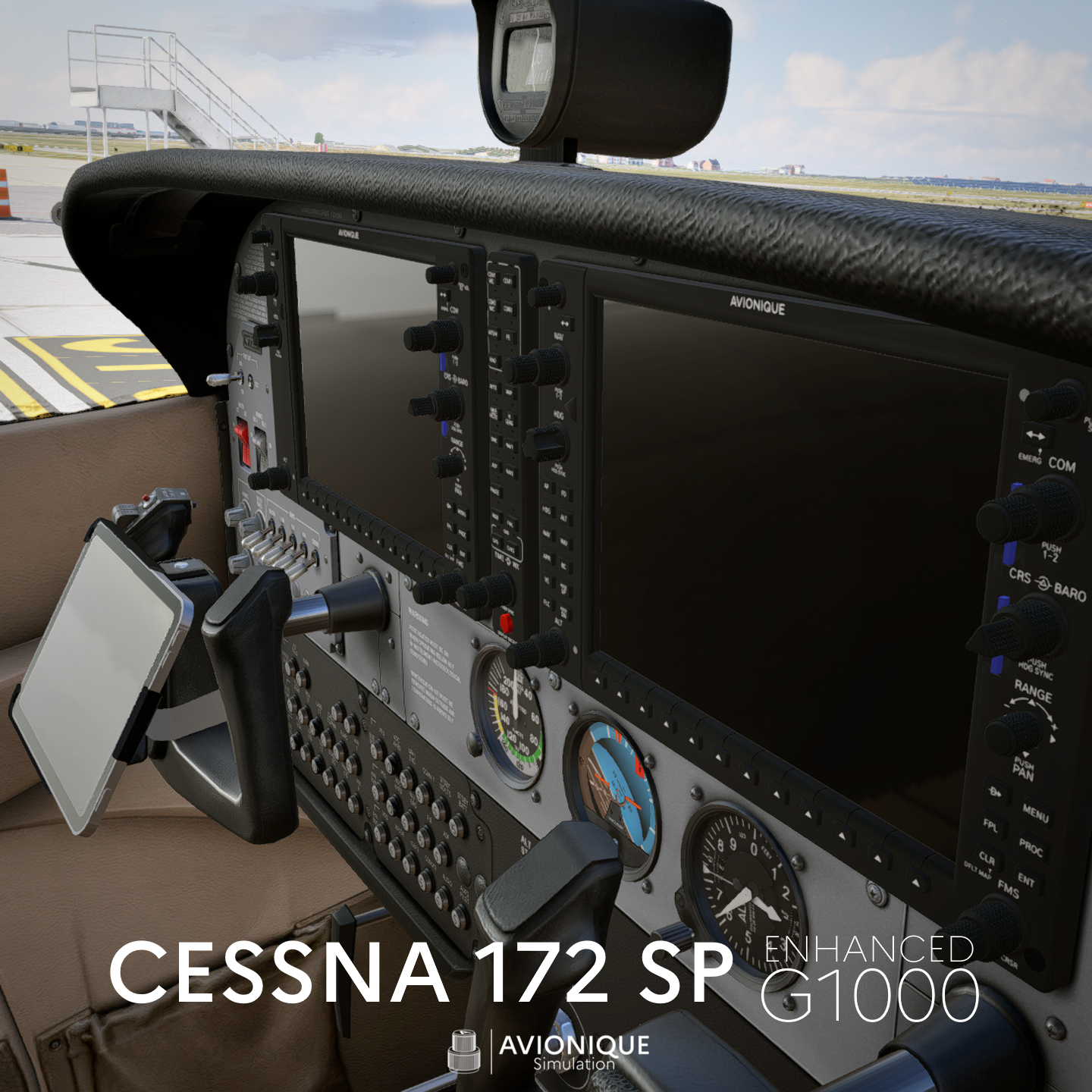
This mod improves the default Cessna 172SP cockpit in X-Plane 12, mainly by upgrading the G1000 visuals and animations, and by adding an integrated tablet setup.
The goal is simple:
the default cockpit is starting to feel outdated, so this mod brings a more modern look and better interaction, while keeping full compatibility with the stock aircraft.
Features
Enhanced G1000 Cockpit
-
High resolution textures
-
Improved visual quality compared to the stock cockpit
-
Fully animated knobs, buttons and rotary selectors
-
Updated panel look and overall better immersion
-
Custom buttons assigned on audio panel with useful functions
-
Additional indicators and logic for external networks (PilotEdge, VATSIM…).
- Integrated AviTab tablet in the cockpit
Dual Encoder TIME / WX (Audio Panel)
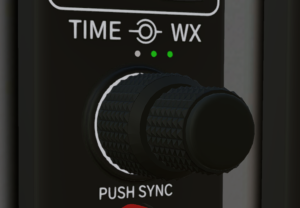
The custom audio panel includes a dual rotary encoder with the following functions:
1. Outer Knob (WX)
Controls the weather evolution mode.
-
Rotate right: weather improves
-
Rotate left: weather deteriorates
A 7-LED indicator shows the current setting:
-
3 red LEDs on the left: worst weather evolution
-
3 green LEDs on the right: best weather evolution
-
Only the white LED: weather is static (no evolution)
2. Inner Knob (TIME)
Controls the time of day in X-Plane.
-
Rotate right: time moves forward
-
Rotate left: time moves backward
3. Push Button (press the knob)
When pressing the encoder knob:
-
Weather is set back to automatic real-world sync
-
Time of day is set back to automatic real-world sync
-
The white LED turns OFF completely
If no LED is lit, it means the system is synchronized with real-world time/weather.
Special Buttons
Some buttons require additional explanation:
PE (PilotEdge)
-
Button: connects/disconnects PilotEdge
-
White indicator: ON when connected to PilotEdge
VATSIM
-
Indicator: shows if VATSIM is connected
-
Button: toggles aircraft labels display (useful for spotting traffic)
TEL
-
Button: sets 118.200 in COM1 standby frequency
-
Indicator: lights up when 118.200 is set as COM1 active frequency
IVAO
Currently inoperative (not implemented yet).
GPU
GPU is not simulated by default on the stock C172.
Tablet (AviTab Integration)
This mod also adds an AviTab tablet to the cockpit.
You can:
-
deploy or hide the tablet
-
deploy or hide the yoke mount independently
-
store the tablet in the cockpit pocket (like a real setup)
⚠️ Important: AviTab is an external plugin and must be installed separately.
You can download AviTab for X-Plane 12 here:
https://forums.x-plane.org/files/file/44825-avitab-vr-compatible-tablet-with-pdf-viewer-moving-maps-and-more/
Installation
- Before installing, it is highly recommended to make a backup copy of the original aircraft folder: Cessna 172SP. This mod modifies files inside the default aircraft directory, so keeping a backup is strongly advised.
- Extract the ZIP file into the following folder: X-Plane 12\Aircraft\Laminar Research
- Once installed, launch X-Plane 12 and simply load the default: Cessna 172SP (G1000)
The mod will automatically apply.
Notes
This mod is based on the default C172SP and is intended to improve its visuals and usability without changing the aircraft’s flight model.
Reviews
There are no reviews yet.